
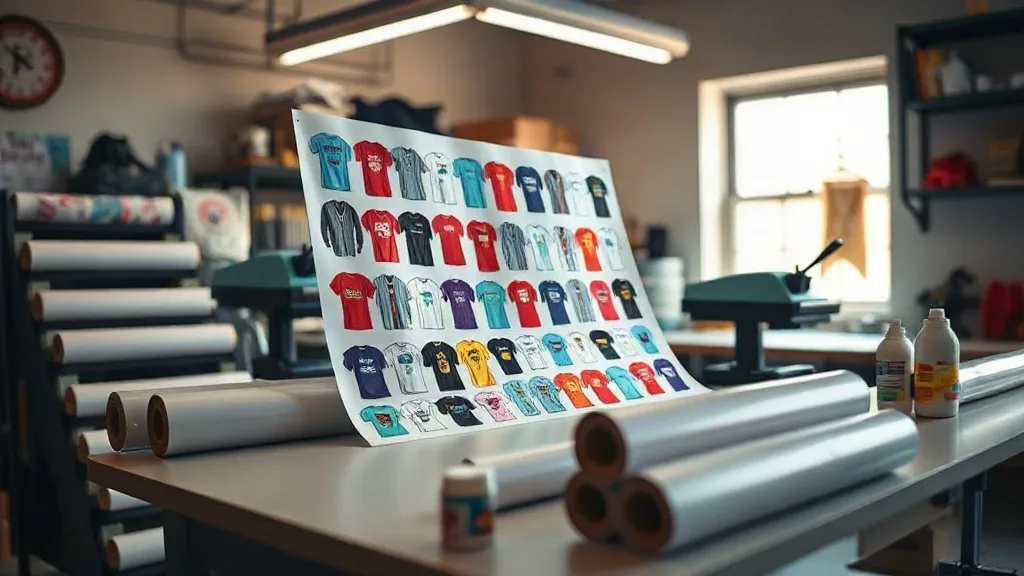
If you run a custom apparel business, you know that efficiency and cost control are the lifeblood of your operation. Every wasted inch of transfer film and every minute spent cutting individual designs eats into your margins. That's where the DTF Gangsheet comes in. A gangsheet is a single sheet of DTF transfer film that contains multiple designs arranged together, allowing you to print, press, and ship multiple orders in one go. In this guide, we'll dive deep into what a gangsheet is, why it matters, and how to use it to transform your workflow.
What Exactly Is a DTF Gangsheet?
At its core, a DTF Gangsheet is a large-format DTF transfer film that holds several designs in one layout. Instead of printing each design on a separate sheet, you nest them together on a single film. This approach maximizes the use of film and ink, reduces waste, and speeds up production. Whether you're printing 50 team jerseys with different numbers or a batch of 20 tote bags with unique logos, a gangsheet lets you handle them all in one print run.
How a Gangsheet Differs from Individual Transfers
Traditional DTF transfers are printed one design per sheet. While that works for one-off orders, it's inefficient for bulk jobs. A DTF Gangsheet consolidates multiple designs onto one sheet, so you print once and press many. The film is typically larger (e.g., 13" x 19" or 22" x 24"), and you arrange designs to fit snugly, leaving minimal gaps. This method is a game-changer for shops that handle varied orders daily.
Why Your Shop Should Use DTF Gangsheets
Adopting gangsheets isn't just a trend; it's a strategic move that impacts your bottom line. Here are the key benefits:
- Cost Savings: By maximizing film usage, you buy less film and ink per design. Savings can be 20-30% compared to individual transfers.
- Time Efficiency: Printing one large sheet takes less time than multiple small ones. You also reduce setup and cleanup time.
- Consistency: All designs on a gangsheet go through the same printer settings, ensuring uniform color and quality.
- Scalability: Easily handle large orders with many unique designs, perfect for team uniforms, event merch, or small-batch custom work.
In short, a DTF Gangsheet turns a tedious job into a streamlined process.
How to Create an Effective Gangsheet Layout
The layout is where the magic happens. A well-planned gangsheet minimizes waste and maximizes productivity. Follow these steps to design your own.
1. Gather and Prepare Your Artwork
Collect all designs you need to print. Ensure each is high-resolution (300 DPI), with transparent backgrounds and correct dimensions. Use design software like Photoshop or Illustrator to arrange them on a canvas that matches your film size. Leave a small margin (about 0.25 inches) between designs to avoid overlap during cutting.
2. Nest Designs Efficiently
Nesting is the art of fitting designs closely without overlapping. Rotate designs if needed to fill gaps. For example, if you have several small logos, cluster them together. For larger designs, place them strategically to use leftover space. Many RIP software programs have auto-nesting features, but manual tweaking often yields better results.
3. Consider the Pressing Workflow
Think about how you'll press the transfers. If you're pressing multiple shirts at once, group designs by garment type or color to streamline the process. Also, leave enough space between designs so you can cut them apart easily. A rotary cutter or scissors will glide through if you have clear gaps.
Choosing the Right Film and Supplies
Not all DTF films are created equal. For gangsheets, you need a film that can handle high ink loads without curling or misfeeding. Look for a double-sided matte film with a strong adhesive backing. Also, ensure your powder (adhesive) is compatible with the film; a fine-grain powder works best for detailed designs. Finally, use a reliable RIP software that supports gangsheet layout and can calculate ink usage accurately.
Step-by-Step: Printing and Pressing a Gangsheet
Once your layout is ready, the printing and pressing process is straightforward but requires attention to detail.
- Print the Gangsheet: Load the film into your DTF printer and send the job. Ensure the printer is set to the correct film size and quality settings.
- Apply Adhesive Powder: While the ink is still wet, sprinkle the powder evenly over the design. Shake off excess and cure under a heat source (e.g., heat press or oven) until the powder melts and forms a smooth layer.
- Cut the Transfers: Once cooled, cut out each design. Use a cutting machine or scissors, leaving a small border around each design to prevent ink from bleeding during pressing.
- Press onto Garments: Preheat your heat press to 320°F (160°C). Place the transfer on the garment with the adhesive side down, cover with a protective sheet, and press for 10-15 seconds with medium pressure. Peel the film while hot or cold, depending on the film type.
With practice, you'll be able to press a full gangsheet in minutes.
Common Mistakes to Avoid
Even seasoned pros make mistakes with gangsheets. Here are pitfalls to watch for:
- Overcrowding: Packing designs too tightly can cause ink to bleed or film to wrinkle. Leave adequate spacing.
- Inconsistent Powder Application: Too much powder leads to a rough feel; too little causes poor adhesion. Aim for an even, thin coat.
- Ignoring Film Orientation: Some films have a printable side; printing on the wrong side ruins the sheet.
- Skipping a Test Press: Always test a small transfer from the gangsheet on a scrap fabric to check settings.
Avoid these and your gangsheet workflow will be smooth.
Maximizing ROI with Gangsheets
To get the most out of your gangsheets, track your material usage and time savings. Compare the cost per design before and after implementing gangsheets. You'll likely find that you can reduce your price per piece or increase your profit margin. Also, consider offering gangsheet services to other shops; it's a valuable add-on.
Frequently Asked Questions
What is a DTF gangsheet used for?
A DTF gangsheet is used to print multiple DTF transfers on a single sheet of film. It's ideal for bulk orders with different designs, such as team uniforms, event merchandise, or custom apparel batches. It saves time and materials compared to printing each design separately.
Can I create a gangsheet with different design sizes?
Absolutely. Gangsheets are flexible; you can mix small and large designs as long as they fit on the film. Just ensure you leave enough space between designs for cutting and to prevent ink smudging.
What film size should I use for gangsheets?
The film size depends on your printer and order volume. Common sizes are 13" x 19" and 22" x 24". Choose a size that accommodates your typical design mix without excessive waste. Larger sheets are better for high-volume shops.
How do I prevent my gangsheet from curling during printing?
Curling often happens due to improper film storage or printer settings. Store film in a cool, dry place and acclimate it to your print environment before use. Also, adjust your printer's tension settings and use a film designed for high ink coverage.
Is a DTF gangsheet cost-effective for small orders?
Yes, even for small orders, gangsheets can be cost-effective if you combine multiple designs. For a single small design, it might be overkill, but for 5-10 designs, the savings in film and time add up quickly.
Ready to take your custom apparel printing to the next level? Explore our DTF Gangsheet options at The Custom Banner and see how gangsheets can revolutionize your shop's efficiency.