
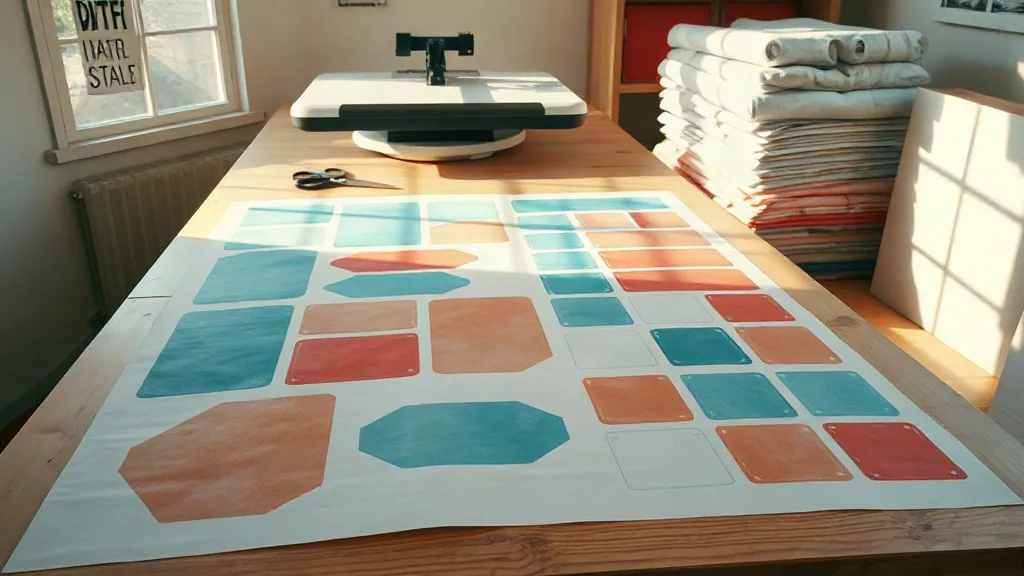
Ordering custom banners often comes down to an uncomfortable trade: pay a setup fee for every single design, or squeeze your artwork into a cheaper format that sacrifices color and durability. A DTF Gangsheet sits between those two extremes. It is a single sheet of direct-to-film transfer material on which many individual designs are arranged, printed at once, and then pressed onto fabric or vinyl. For anyone producing a batch of banners, table covers, or branded signage, understanding this format can change how you budget, plan, and order.
What a DTF Gangsheet Actually Is
Direct-to-film printing works by printing your artwork in reverse onto a special film, dusting it with adhesive powder, and curing it. The result is a transfer that can be heat-pressed onto almost any fabric, including cotton, polyester, canvas, and blends that traditional vinyl cutting struggles with. A gangsheet takes that same process and applies it to a whole layout rather than a single image.
Picture a large sheet, typically sized by width and length in inches or centimeters, filled edge to edge with whatever designs you need. Each item has its own cut line. When the sheet arrives, you cut out the pieces you need and press them where they belong. The printer handles one job, one setup, and one pass through the equipment, which is exactly why the per-piece cost drops so sharply.
Why the Format Exists
Print shops lose money on small, scattered orders. Every file needs preparation, every run needs color calibration, and every sheet needs handling. Gangsheets solve that by encouraging customers to batch their work. If you need twelve banners for a trade show, three logo transfers for staff aprons, and a set of directional signs for a pop-up shop, all of that can live on one film. You get the efficiency of a bulk run without ordering hundreds of identical pieces you will never use.
Where This Fits Into Custom Banner Production
Banners are not all printed the same way. Large-format direct printing is excellent for single big graphics, but it becomes expensive when you need many small, varied pieces. Vinyl cutting is precise for simple shapes but limited on gradients, photographs, and fine detail. DTF transfers handle complex artwork well, including photographic imagery and soft gradients, and they press onto textiles that would otherwise be difficult to decorate.
This makes the format especially useful for a few common situations:
- Event signage sets. A conference needs a welcome banner, sponsor strips, speaker name boards, and directional signage. All of these can share one sheet.
- Team and staff apparel. Names, numbers, and logos for a whole crew, arranged together so the pressing work happens in one session.
- Retail and market displays. Fabric backdrops, table throws, and hanging cloth signs that need to look consistent across a booth.
- Small-batch merchandise. Tote bags, aprons, and fabric panels for a limited product run without committing to a full screen-printing setup.
If your project is a single enormous outdoor banner, a gangsheet is not the right tool. If your project is a collection of medium and small pieces that need to match, it usually is.
How to Build a Layout That Saves Money
The economics of a gangsheet depend almost entirely on how well you fill the space. Empty film is wasted money, but overcrowding creates cutting problems. A good layout balances both.
Start With Accurate Dimensions
Measure every piece at final size, not at screen size. Add a small margin around each design, usually a few millimeters, so the cut line does not clip the edge of your artwork. If you are placing a design on a curved surface or a fabric that stretches, note that the finished piece may shift slightly during pressing.
Group by Color and Material
Keep designs that will be pressed onto the same fabric near each other on the sheet. This makes cutting and pressing more organized and reduces the chance of mixing up pieces. If you have both light and dark garments, remember that DTF transfers need a white ink base to show correctly on dark fabric, so confirm your printer is accounting for that in the layout.
Leave Room for Cutting
Tight nesting looks efficient on paper and becomes frustrating in practice. Leave enough gap between designs that scissors or a cutter can pass cleanly. A slightly less packed sheet that cuts in ten minutes beats a perfectly packed sheet that takes an hour and produces ragged edges.
Check Resolution Before You Send
Small designs on a large sheet are tempting, but detail has limits. Text below roughly a quarter inch in height, thin hairlines, and tiny logos tend to lose clarity once printed and pressed. Scale up anything critical and test a single piece before committing to a full sheet of small elements.
Pressing and Applying the Transfers
The print quality only matters if the application is right. A few habits make a noticeable difference.
- Pre-press the fabric for a few seconds to remove moisture. Damp fabric is the most common cause of transfers lifting at the edges.
- Use steady, firm pressure rather than quick, light passes. Adhesive needs consistent heat and force to bond.
- Peel at the correct temperature. Some films are hot peel, others cold peel, and using the wrong method can distort fine detail.
- Press a second short cycle after peeling to lock the edges, especially on stretchy fabrics.
Wash care matters too. Turning garments inside out and avoiding high heat in the dryer will extend the life of any transfer significantly.
Common Mistakes That Waste a Sheet
Most disappointing orders trace back to a handful of avoidable errors. Sending files in the wrong color mode is one; RGB artwork converted carelessly can shift noticeably, so supply files in the profile your printer requests. Forgetting bleed on designs that run to the edge is another. Mixing up dimensions, such as sending centimeters when the layout is in inches, is more common than you would expect and can ruin an entire run.
It also helps to ask for a proof or a small test piece before committing to a large sheet. A five-minute check on one transfer is far cheaper than reprinting a full layout.
Frequently Asked Questions
How many designs can I fit on one DTF gangsheet?
There is no fixed number. It depends entirely on the size of each design and the total sheet dimensions you order. A sheet filled with small logos might hold dozens of pieces, while a sheet with a few large banner panels might hold only three or four. Plan your layout at final size and let the math decide.
Can DTF transfers be used on outdoor banners?
They work best on fabric and textile surfaces. For long-term outdoor exposure to sun and rain, confirm with your printer that the specific film and fabric combination suits outdoor use, and consider a protective top layer. For indoor displays, trade shows, and short-term outdoor events, they perform well.
Is a gangsheet cheaper than ordering each design separately?
Usually yes, because setup and handling costs are shared across the whole sheet instead of repeated per design. The savings grow as you fill more of the sheet. A half-empty layout can erase much of that advantage, so plan the arrangement carefully.
What file format should I send?
Vector files such as PDF, AI, or EPS are ideal because they scale without losing sharpness. High-resolution PNG files with transparent backgrounds also work for many print shops. Always ask your printer for their preferred specifications before exporting.
How long does a DTF transfer last once applied?
With correct pressing and reasonable care, transfers typically hold up through many wash cycles on garments and stay vibrant on display fabrics for the life of the item. Following the peel and wash instructions is the single biggest factor in longevity.
Planning a batch of branded pieces is far less painful when you treat the sheet as a layout problem rather than a shopping cart. Measure accurately, group sensibly, leave cutting room, and press with patience. Done that way, one film can carry an entire event's worth of signage and still leave your budget intact.