
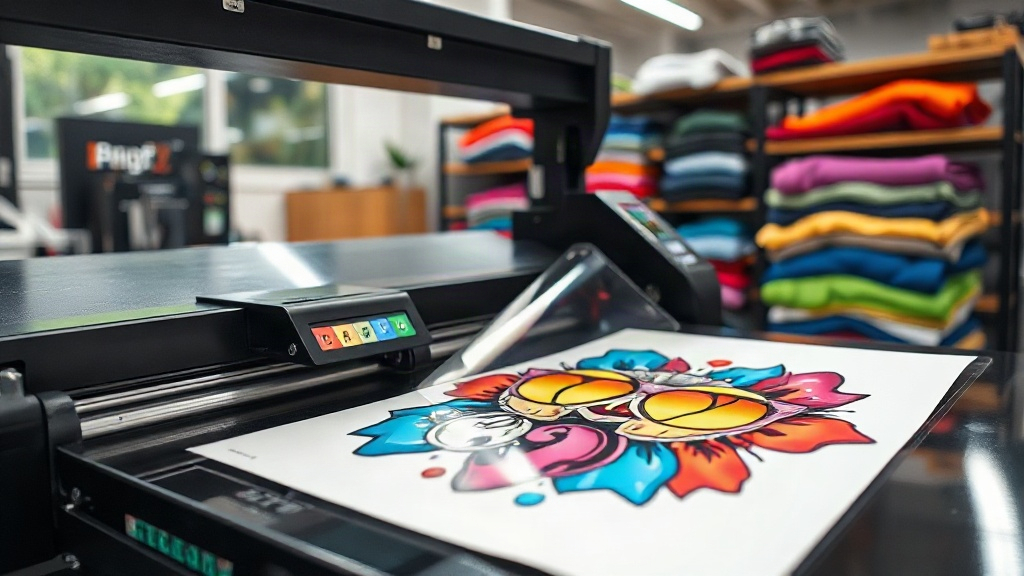
When you run a small apparel business or start a print-on-demand store, choosing the right printing method can feel overwhelming. Screen printing demands volume, vinyl requires weeding, and sublimation only works on polyester. Then there's DTF printing, a technology that's quietly revolutionising how creators and entrepreneurs produce custom t-shirts, hoodies, and tote bags. Unlike other methods, DTF (Direct to Film) lets you print full-color designs on almost any fabric, from cotton to blends, without minimum orders or messy setup. In this guide, we'll walk through what DTF printing is, how it compares to alternatives, and how you can use it to grow your brand.
What Is DTF Printing?
DTF printing stands for Direct to Film. The process involves printing your design onto a special PET film using a DTF printer and water-based inks. After printing, a hot-melt adhesive powder is applied to the wet ink, and the film is cured. Then, using a heat press, the design is transferred onto the fabric. The result is a soft, stretchable print that bonds permanently to the material. Because the design sits on top of the fabric rather than being dyed into it, DTF works on cotton, polyester, nylon, and even leather. This versatility makes it a favourite for print-on-demand sellers who want to offer a wide range of products without investing in multiple printing setups.
Why DTF Printing Stands Out
If you've explored custom apparel printing, you've probably heard of DTG (Direct to Garment) and sublimation. Each has its place, but DTF offers a unique combination of benefits that appeal to small businesses and hobbyists alike.
No Minimum Orders
With screen printing, you need to create a separate screen for each color, and setup costs make small runs expensive. DTF printing eliminates that. You can print one shirt or one hundred, and the cost per piece remains consistent. This is a game-changer for print-on-demand, where you only produce items after they're ordered.
Works on Almost Any Fabric
DTG printing requires pre-treated cotton shirts, and sublimation only works on light-colored polyester. DTF transfers adhere to cotton, polyester, blends, and even treated leather. You can offer your customers a diverse catalog without worrying about fabric compatibility.
Vibrant, Durable Prints
The water-based inks used in DTF printing produce bright, opaque colors, including white, which is essential for dark garments. Once transferred, the print stretches with the fabric and withstands repeated washing. Many users report that properly applied DTF transfers last as long as the garment itself.
Cost-Effective for Small Businesses
While the initial investment in a DTF printer and supplies can be a few thousand dollars, the per-print cost is low, especially for small to medium runs. You also save on labor because there's no weeding or screen cleaning. For a home-based business, a DTF setup can pay for itself quickly.
How to Get Started with DTF Printing
Ready to dive in? Here's a step-by-step overview of the DTF printing process, from design to finished product.
1. Design Your Artwork
Create your design in a graphic software like Adobe Photoshop, Illustrator, or free alternatives like GIMP or Inkscape. Ensure your file is high resolution (300 DPI) and in CMYK color mode. Remember that DTF prints white ink as a base, so you don't need to worry about background colors. Save your design as a PNG with a transparent background for best results.
2. Print on Film
Load your DTF printer with PET film and the appropriate ink set. Most DTF printers use CMYK plus white ink. The printer will lay down a white ink layer first, followed by the color layers. This white base is what makes the colors pop on dark fabrics. After printing, the film will have a wet, tacky surface.
3. Apply Adhesive Powder
While the ink is still wet, sprinkle hot-melt adhesive powder evenly over the design. Shake off the excess, then cure the film in a heat press or oven at around 160°C (320°F) for 2-3 minutes. The powder melts and bonds with the ink, creating a dry, flexible transfer.
4. Heat Press the Transfer
Set your heat press to 160°C (320°F) with medium pressure. Place the transfer on your garment with the design facing up, and press for 10-15 seconds. Wait for it to cool completely, then peel off the film. For a softer feel, you can press again for a few seconds after peeling. That's it! Your custom apparel is ready.
DTF vs. Other Printing Methods
Let's compare DTF with the three most common alternatives to help you decide which is right for your business.
- DTF vs. Screen Printing: Screen printing is more cost-effective for large orders of simple designs, but DTF wins for small batches, full-color images, and quick turnaround.
- DTF vs. DTG: DTG requires pre-treated cotton and can be finicky on dark shirts. DTF works on more fabrics and produces more consistent results, though DTG may have a slightly softer hand on light-colored cotton.
- DTF vs. Sublimation: Sublimation only works on polyester and requires light-colored substrates. DTF can be used on any fabric and any color, making it far more versatile.
Common Challenges and How to Overcome Them
Like any printing method, DTF has its quirks. Here are a few common issues and their solutions.
Adhesive Powder Not Sticking
If the powder doesn't adhere to the ink, it may be because the ink was too dry before powdering. Work quickly after printing, or adjust your printer's ink density. Also, ensure you're using high-quality powder and store it in a dry place.
Transfer Peeling or Cracking
Peeling usually means the heat press temperature or pressure was off. Verify your settings with a temperature gun and pressure gauge. Cracking can occur if the transfer wasn't pressed long enough or if the garment was stretched during pressing. Always follow the manufacturer's recommendations.
Faded Colors After Washing
To maintain vibrancy, wash the garment inside out in cold water and avoid fabric softeners. Also, make sure the transfer was properly cured; under-cured prints will fade quickly.
Tips for Success with DTF Printing
- Invest in a reliable DTF printer and quality supplies. Cheap film or powder can lead to frustrating results.
- Keep a log of your settings (temperature, time, pressure) for each fabric type. This will help you replicate successful prints.
- Test new designs on scrap fabric before pressing onto a finished garment.
- Offer a variety of garment colors and styles to showcase the versatility of DTF.
- Market your DTF prints as durable and vibrant, and back it up with care instructions.
Frequently Asked Questions About DTF Printing
How long do DTF prints last?
With proper application and care, DTF prints can last for years, often outlasting the garment itself. They withstand dozens of washes without significant fading or cracking.
Can I use DTF on dark shirts?
Absolutely. DTF printing is particularly good on dark fabrics because the white ink base makes colors pop. You don't need any special pre-treatment.
Is DTF printing cost-effective for small businesses?
Yes, DTF is very cost-effective for small runs and print-on-demand. There are no minimums, and the per-unit cost is low, making it ideal for startups and home businesses.
What fabrics can I use with DTF?
DTF works on cotton, polyester, blends, nylon, and even leather. It's one of the most versatile printing methods available.
Do I need a special printer for DTF?
Yes, you need a DTF printer that uses DTF inks and can handle PET film. Some people convert Epson printers, but dedicated DTF printers are recommended for best results.
Final Thoughts
DTF printing opens up a world of possibilities for custom apparel. Whether you're a solo entrepreneur or a growing brand, it offers the flexibility, quality, and cost-efficiency needed to compete in today's market. By understanding the process and avoiding common pitfalls, you can create stunning, long-lasting prints that delight your customers. So why not give DTF a try? Your next best-selling t-shirt might be just a transfer away.